(2 months ago) · Ciprian Rarau · Operating · 6 min read
The Meta Repository Pattern: One Folder to Rule Them All
How I organize 10-20 repositories per company into a single meta folder, giving both humans and AI a bird's eye view of the entire business.
The Problem with Multiple Repositories
I had six VS Code windows open and was losing my mind. Backend in one, frontend in another, DevOps in a third, docs in a fourth. Every time I needed to make a cross-cutting change, I was alt-tabbing between windows, losing context, forgetting which terminal was connected to which repo. Multiply that by three companies and you get a developer who spends more time navigating than building.
A typical company I work with has anywhere from 10 to 20 GitHub repositories:
- Backend API
- Web application
- Mobile app (iOS/Android)
- DevOps and infrastructure
- Documentation
- KPIs and analytics
- Marketing site
- Internal tools
- And more…
Each repository lives in its own folder. Each has its own git history. Each has its own context. When you need to work across repositories - which is constantly - you’re switching folders, opening multiple terminals, losing context.
The Meta Repository Pattern
I solved this by creating a single “meta” folder for each company that contains everything:
company-meta/
├── .git/                    # Meta repo is itself versioned
├── .gitignore
├── CLAUDE.md                # Company-wide AI context
├── company.code-workspace   # VSCode workspace file
├── README.md
├── company-backend/         # Git repo
├── company-web/             # Git repo
├── company-mobile/          # Git repo
├── company-devops/          # Git repo
├── company-docs/            # Git repo
├── company-kpi/             # Git repo
└── scripts/                 # Cross-repo utilities
The meta folder itself is a git repository. Inside it, each subfolder is also a git repository with its own history.
Real Examples: What This Looks Like
Across three companies I work with, here’s the actual structure:
A healthcare startup - 18 subfolders:
- Mobile app, backend API, ML pipeline, DevOps, docs, KPIs, QA, database scripts…
A B2B SaaS company - 19 subfolders:
- Backend, web, DevOps, docs, intercom articles, marketing, surveys, growth tools…
A mobile-first startup - 18 subfolders:
- Main app, mobile apps, DevOps, docs, KPIs, planning tools, PR automation…
Each meta folder is my single entry point for that company.
The VSCode Workspace File
The magic that ties this together is the .code-workspace file:
{
  "folders": [
    { "name": "company-meta", "path": "." },
    { "name": "company-backend", "path": "company-backend" },
    { "name": "company-web", "path": "company-web" },
    { "name": "company-mobile", "path": "company-mobile" },
    { "name": "company-devops", "path": "company-devops" },
    { "name": "company-docs", "path": "company-docs" },
    { "name": "company-kpi", "path": "company-kpi" }
  ],
  "settings": {
    "git.autoRepositoryDetection": "subFolders",
    "git.detectSubmodules": true,
    "git.ignoreSubmodules": false
  }
}
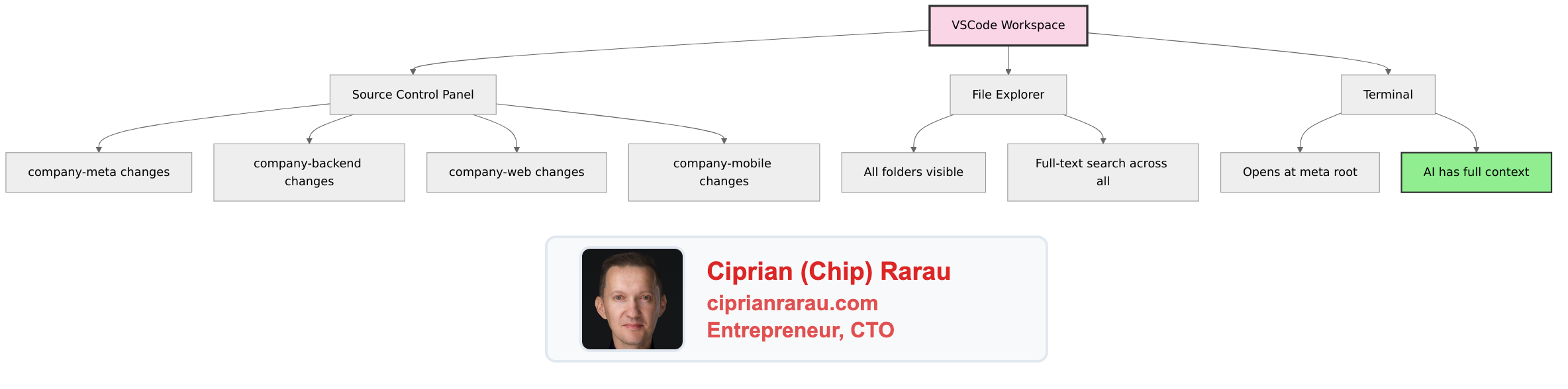
When I open this workspace in VSCode:
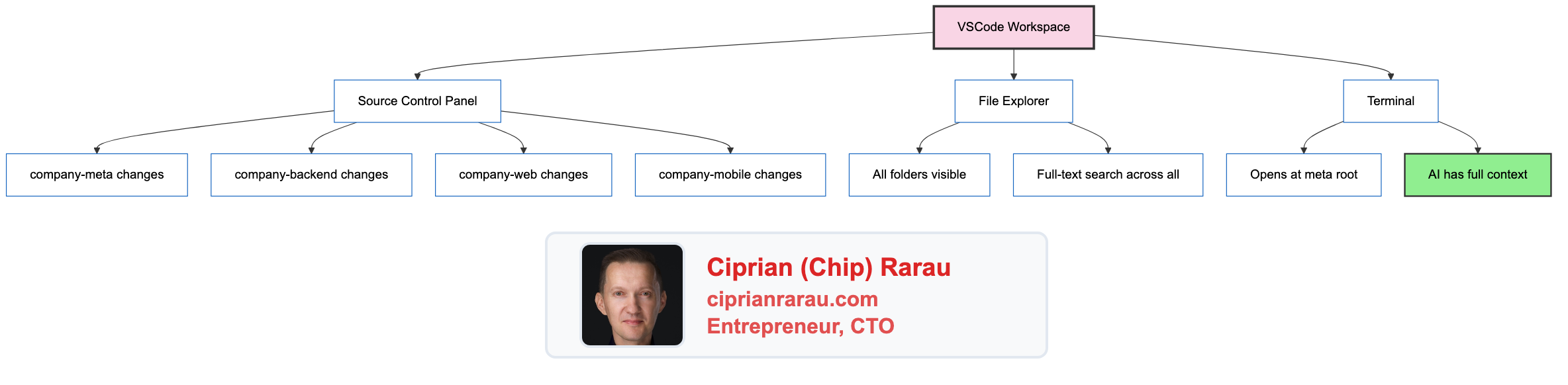
The Source Control panel shows changes grouped by repository. I can see at a glance what’s modified across the entire company.
Layered CLAUDE.md Files
Here’s where it gets powerful for AI-assisted development.
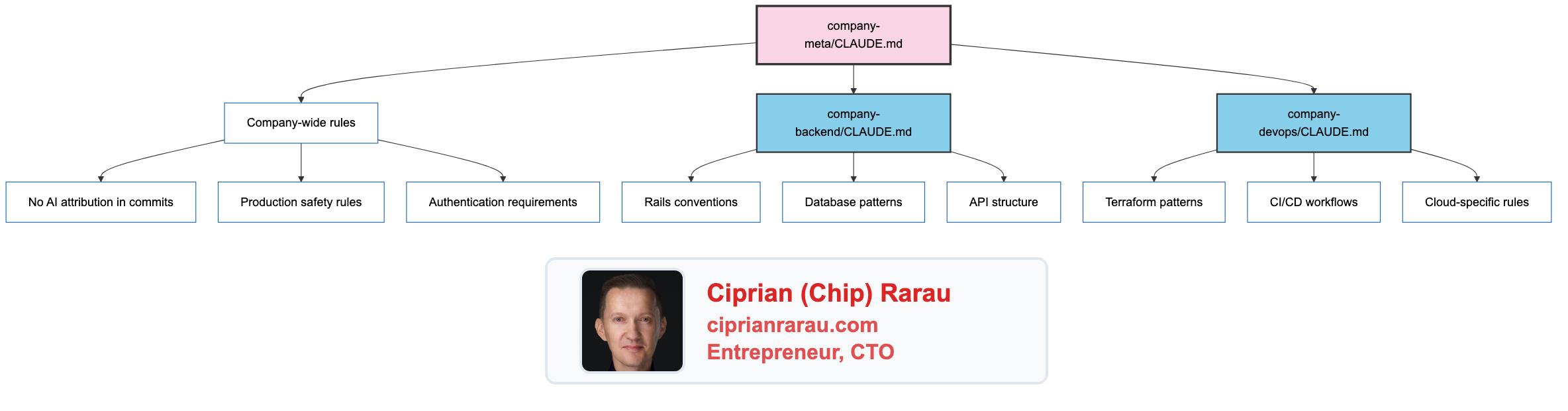
The meta-level CLAUDE.md contains company-wide rules:
- No AI attribution in commits
- Production safety rules
- Authentication requirements
- Project structure overview
Each subfolder’s CLAUDE.md contains repo-specific context:
- Technology stack details
- Code conventions
- Testing patterns
- Deployment procedures
When I open Claude Code at the meta level, it inherits the company-wide context and can navigate into any subfolder for specific context.
The AI Advantage
When I start a Claude Code session, I always open it at the meta folder:
cd ~/company-meta
claude
Now the AI has:
- Full visibility across all repositories
- Company context from the meta CLAUDE.md
- Specific context when diving into subfolders
- Cross-repo search capability
Real examples of what this enables:
“Find everywhere we handle user authentication across backend, web, and mobile”
“The API endpoint changed - update the web app and mobile app to match”
“Check the DevOps config and make sure the backend deployment matches”
Without the meta pattern, these requests would require opening multiple terminals, switching folders, losing context. With it, the AI navigates fluidly across the entire codebase.
One VSCode, One Company
The rule is simple: one company = one VSCode window.
I never have multiple VSCode windows open for the same company. The workspace file gives me:
- All folders in one sidebar
- All git repos in one Source Control panel
- Global search across everything
- Single terminal at the meta root
When I switch companies, I close the window and open the other company’s workspace.
The Clone Script
Each meta repo includes a setup script:
#!/bin/bash
# clone-all-repos.sh

REPOS=(
  "company-backend"
  "company-web"
  "company-mobile"
  "company-devops"
  "company-docs"
  "company-kpi"
)

for repo in "${REPOS[@]}"; do
  if [ ! -d "$repo" ]; then
    git clone git@github.com:org/$repo.git
  fi
done
New machine? Clone the meta repo, run the script, open the workspace. Done.
Git Status Across Everything
From the meta folder, I can check status across all repos:
for dir in */; do
  if [ -d "$dir/.git" ]; then
    echo "=== $dir ==="
    git -C "$dir" status -s
  fi
done
Or use VSCode’s Source Control panel, which shows all repos grouped with their changes.
Why This Matters Now
This pattern existed before AI, but it was merely convenient. Now it’s essential.
AI assistants need context. The more context, the better the assistance. By organizing all company repositories under one roof:
- AI sees the whole system - Not fragments, but the complete picture
- Cross-repo changes become trivial - “Update this in all three places”
- Context is inherited - Company rules cascade down to every repo
- Search is unified - Find patterns across the entire codebase
The meta repository isn’t just organization. It’s the foundation that makes AI-assisted development actually work at scale.
The Pattern
company-meta/                   # Open Claude Code here
├── CLAUDE.md                   # Company-wide AI context
├── company.code-workspace      # Open VSCode here
├── company-backend/
│   └── CLAUDE.md              # Backend-specific context
├── company-web/
│   └── CLAUDE.md              # Web-specific context
├── company-devops/
│   └── CLAUDE.md              # DevOps-specific context
└── ...
One folder. One workspace. One terminal. Full context.
Every company I work with gets this structure. It’s not optional anymore - it’s how modern AI-assisted development works.
The meta repository pattern transforms a collection of repos into a coherent system that both humans and AI can navigate as one. I haven’t opened multiple VS Code windows for the same company since I started using it. And honestly, I can’t imagine going back.